
Jump to content

Recommended Posts

  • Administrators

  • Group:  Administrators
  • Followers:  237
  • Content Count:  2,205
  • Content Per Day:  1.30
  • Reputation:   3,851
  • Days Won:  1,150
  • Joined:  12/25/2021
  • Status:  Offline
  • Last Seen:  

Posted

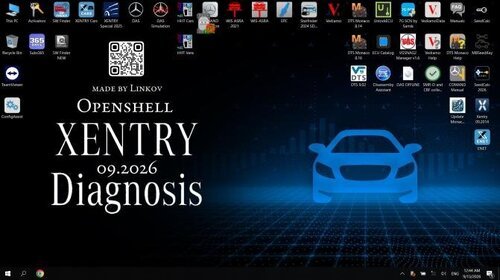
ZenZefi Certificates 23.11.2026

View File

ZenZefi Certificates 23.11.2026 

Screenshot_8.png


Typical use cases
• Fix “no valid certificate / authorization” messages in XENTRY
• Restore online content downloads and metadata updates
• Keep Passthru environments talking to after-sales endpoints over HTTPS/TLS

How to install (manual import, Windows)
Launch certmgr.msc (or use the system “Certificate Import Wizard”).
Choose Current User (recommended) → Personal store → Import.
Select the file After_Sales_STANDARD_12.2025.p12 and click Next.
If prompted for a password, enter it; leave “Include all extended properties” ticked.
Finish the wizard → confirm the new certificate appears under Personal → Certificates.
Also verify the chain (root/intermediate) is present under Trusted Root and Intermediate Certification Authorities.
If not, repeat import for those stores (depending on your pack).
Reboot or restart XENTRY-related services and test the connection.

Notes & good practice
• Import to Current User unless your environment policy requires Local Computer.
• Do not modify store permissions unnecessarily; keep private keys non-exportable in production.
• Time sync matters: ensure Windows date/time and time-zone are correct for TLS validation.

Compatibility
• Designed for modern Windows: Windows 10/11 (64-bit); also works on well-maintained Windows 7/8.1.
• Verified by us on Windows 10 LTSC 2019. Hardware footprint is negligible.

HOW TO DOWNLOAD 👇


Join the conversation

You can post now and register later. If you have an account, sign in now to post with your account.

Guest
Reply to this topic...

×   Pasted as rich text.   Paste as plain text instead

  Only 75 emoji are allowed.

×   Your link has been automatically embedded.   Display as a link instead

×   Your previous content has been restored.   Clear editor

×   You cannot paste images directly. Upload or insert images from URL.

×
×
  • Create New...