
About This File
JLG TCM Reprograming Tool
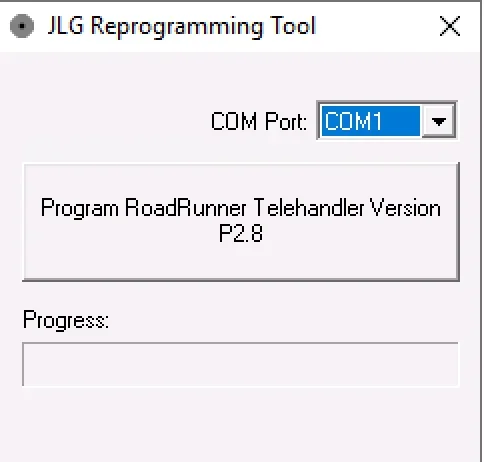
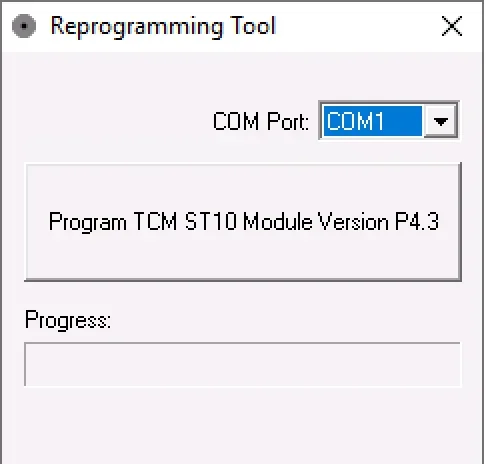
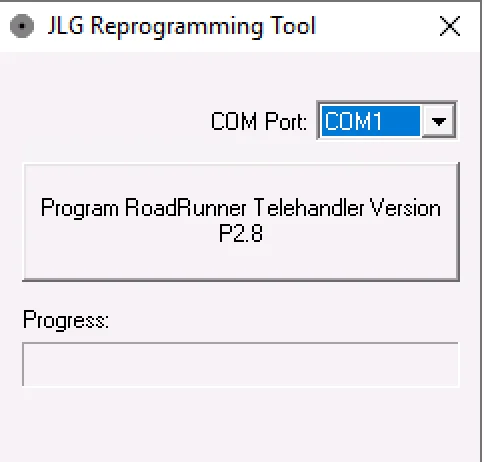
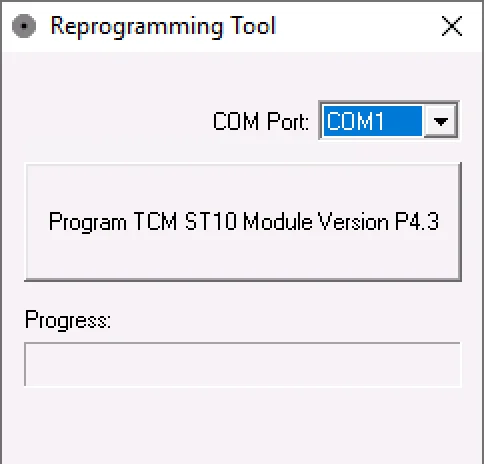
JLG-focused reprogramming utilities used in telehandler service workflows to update or restore specific control modules through a serial COM port connection. One tool targets the RoadRunner telehandler control module family, and the second tool targets a TCM ST10-based module. These utilities are typically used when a module is replaced, needs a firmware refresh, or requires a controlled reprogramming step as part of troubleshooting.
The RoadRunner control referenced here matches JLG part naming for a telehandler control module labeled CONTROL, UGM ROADRUNNER, associated with item number 1001146681.
Summary Highlights
- Dedicated RoadRunner telehandler programming utility with clear COM port selection
- Dedicated TCM ST10 module programming utility with COM port selection
- Simple progress display for controlled programming sessions
- Useful for module replacement workflows where configuration or programming is required after installation
- Designed for workshop laptops where stable serial communication is needed
- Programming coverage depends on machine model, installed module, and firmware generation
Package contents
- 1001146681vP2_8.exe
- TCM P4_3.exe
- Compatibility notes
- Intended for telehandler electronics where a serial COM port interface is used for programming
- RoadRunner tool is associated with the UGM RoadRunner control module family used on JLG equipment
- TCM ST10 tool targets a specific TCM hardware family based on ST10 architecture
- Always verify the correct module and machine serial range before programming
- Availability varies by vehicle and firmware
Basic usage
- Prepare a stable power supply, battery support is recommended during any module programming
- Connect the approved programming interface to the machine and confirm which COM port it uses in Device Manager
- Run the correct utility for the module you are servicing, then select the matching COM port in the dropdown
- Start the programming action and do not interrupt the session until the progress completes
- Cycle key power only when the procedure finishes and the tool indicates completion
Operating systems
- Windows standalone executable utilities (.exe)
- Windows 7, Windows 8.1, Windows 10, Windows 11 (32-bit or 64-bit depending on the build, not specified in the package)
Minimum system requirements
- CPU: Dual-core 2.0 GHz or better
- RAM: 2 GB minimum, 4 GB recommended
- Storage: 100 MB free space
- Network: Not required for offline programming sessions
- Permissions: Admin rights may be required to access serial drivers and COM port settings
Disclaimer
Source of Files. All software and resources in this post are collected from public and open sources on the internet. We do not claim authorship or ownership.
File Hosting. This forum does not host files. All links point to third party public cloud storage. We are not responsible for external content.
User Responsibility. Software is provided for educational and evaluation purposes only. You use it at your own risk. Authors of the post and forum administration are not liable for any damage.
HOW TO DOWNLOAD 









![More information about "HPT Tune Repository 3500 FILES [1997/2018]"](https://lymuna.org/uploads/monthly_2023_05/Capture.thumb.PNG.4952bb41d4a0f784c43b4abb4a4b4136.PNG)








.thumb.png.402c8fdc183028cda5dcc29671fbafdb.png)




.thumb.jpg.3fd3239c5d782486ba5613400c7acd0f.jpg)
.thumb.jpg.89a455ba1fe01f5d589c8319fe63320b.jpg)
































.thumb.png.c923739ab8a00aaabb16f9043fa96c91.png)

-1253-p.thumb.jpg.0946bc8d7d2099170f08783e1c0ee366.jpg)




.thumb.jpg.9bc346582ca28697c8b2749c97c30199.jpg)

















.thumb.jpg.66fc42512471132da179089917cd635d.jpg)
.thumb.png.4ea401643e4a0d45bfd14088cc1e6853.png)
.thumb.png.375e20385b495a0263b8118d5f438560.png)